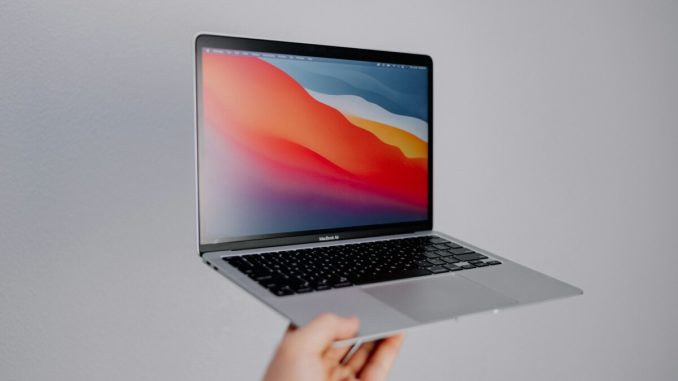
The MacBook Air has built a reputation for durability, consistency, and long-term usability. Because Apple supports its hardware for many years, most people can continue using their device far longer than with other laptop brands. But with the M1, M2, and now the M3 MacBook Air in circulation, it’s worth understanding how long each generation is realistically going to remain relevant—and when it makes sense to keep using your device versus planning an upgrade.
macOS support, battery condition, and workload demands all play a part in determining the practical life-span of a MacBook. Apple typically provides around seven years of major OS updates, with additional years of security patches. Combine that with the efficiency of Apple Silicon chips, and the result is a product line that ages much more gracefully than older Intel-based models. But even with long support windows, each generation eventually hits a point where it feels slower or less flexible than you need. How quickly you reach that point depends mostly on what you do with your machine.
The first signs often come quietly. Apps begin taking longer to open, browser tabs feel heavier, and newer creative tools demand more memory than your MacBook can comfortably provide. Some owners attempt small fixes—battery replacements or fresh installs—to squeeze out more life. Others reach a crossroads where a refurbished MacBook suddenly looks attractive, offering newer hardware with minimal financial strain. Those mid-cycle decisions are often where users realise whether their current MacBook still fits their needs or whether it’s nearing the end of its useful life.
How long each generation can realistically last M1 MacBook Air
Released in late 2020, the M1 Air remains impressively capable. Its architecture is still supported in all major creative apps, browsers, and productivity tools. Most everyday users can expect another four to five years of smooth performance, especially if their workloads involve browsing, document editing, light photo work or occasional video editing. The limit will come not from lack of power, but from advancing software requirements and eventual OS support drop-off. That said, the M1 is ageing better than almost any previous “base” Apple laptop.
M2 MacBook Air
The M2 generation offers more headroom for the future. With improvements across CPU, GPU, and memory bandwidth, it’s positioned to stay relevant well into the 2030s for basic tasks, and toward the latter part of the decade for content creation. It handles modern web workloads more easily than the M1 and supports newer versions of creative software with less compromise. Most users can expect at least six or more strong years from it before considering an upgrade.
M3 MacBook Air
The M3 model benefits from the architectural leap to 3nm processing, giving it better long-term efficiency. Hardware-level AV1 decoding and dual external display support also mean it will have superior compatibility with future workflows. While it’s the newest and therefore the farthest from obsolescence, its real advantage is not just longevity—it’s adaptability. As apps grow more complex and external display setups become more demanding, the M3 will maintain headroom the M1 and M2 lack. Its lifecycle realistically extends well beyond the next seven to eight years for non-intensive users.
When the upgrade becomes worth it
A MacBook Air doesn’t usually stop being “good”; instead, your expectations grow faster than the hardware. When your day-to-day tasks begin to feel compromised—whether through sluggish exports, limited external display support, or apps requiring more modern chip features—those are clear signals that it may be time to move on.
Battery wear is another significant factor. Once a battery drops below 80% health, portable use becomes noticeably limited. Replacing it can buy more time, but if your workload has moved beyond what the machine handles comfortably, the repair becomes less cost-effective.
And then there’s the changing nature of modern workflows. Web apps grow heavier, video formats evolve, and creative tools increasingly rely on hardware acceleration. If your MacBook starts struggling with what used to feel simple, that’s not you—software is shifting around you.
Choosing when to upgrade isn’t about chasing the latest release; it’s about recognising when your current machine is no longer keeping up with your work. A well-timed upgrade can refresh your entire workflow, and understanding the lifespan of each model helps you make a decision that isn’t rushed, but informed.